Arki turns your chat assistant into your everyday chief of staff.You talk. Arki keeps track.
Your calendar, the tasks you picked for today, your training and the week's meals, in one place. Everything else you just tell Claude, and it lands where it belongs.
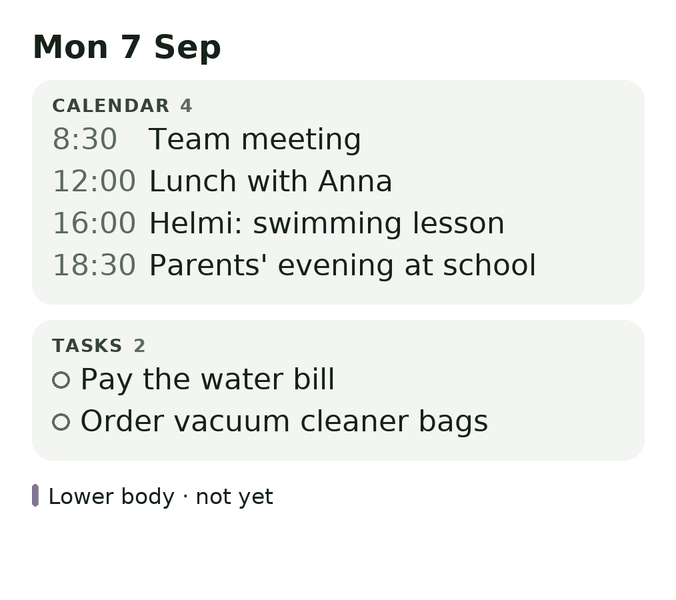
During the day
Say it once, and it lands in the right place
No app to open, no form to fill in. Something to do becomes a task, something running low goes on the shopping list, and where you put the spare key becomes a note you can ask about later.
A real deadline stays a deadline. “Sometime in November” is a start date: the task stays out of the way until then, and it never turns red.
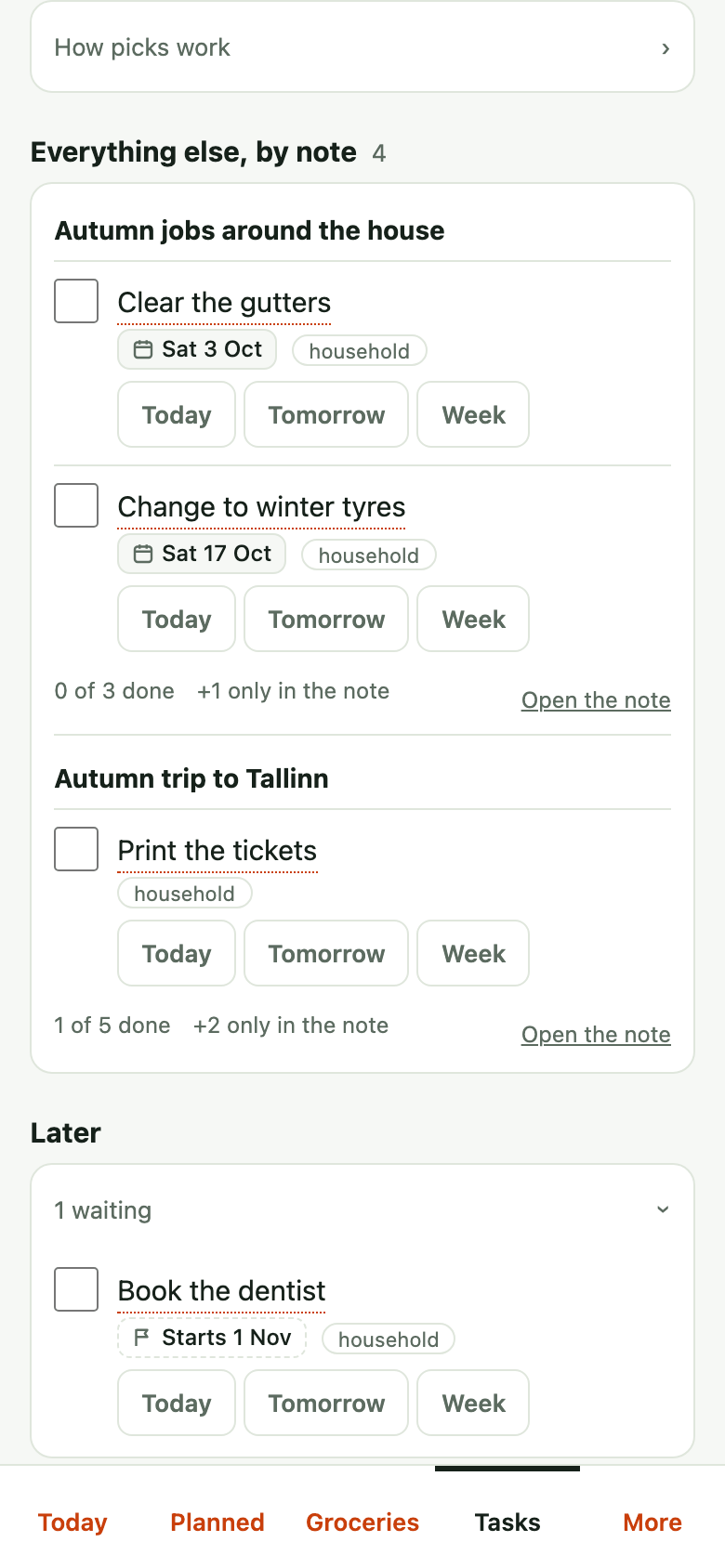
The task “Book the dentist” is saved, starting Sun 1 Nov. It stays off the list until then.
Coffee is on the shopping list.
Saved as the note “Spare key”, visible to the whole household. It is in Unsorted for now, since no folder fitted.
Months later
Ask, and it turns up
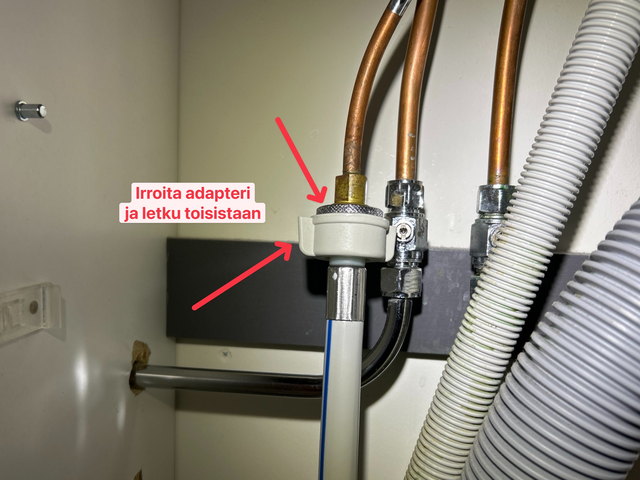
Say what you did, with a photo, and it becomes a note where it belongs: one run-on sentence after a job comes back as steps with the picture in the right place. Months later, ask how you did it, and the steps and the photo come back.
Before it writes, Arki looks at what you already have, and the chat says what it did:
- Nothing like it yet a new note, in the folder it fits best, and Arki says how sure it is.
- A note on it already the new line goes into that note, in the right place.
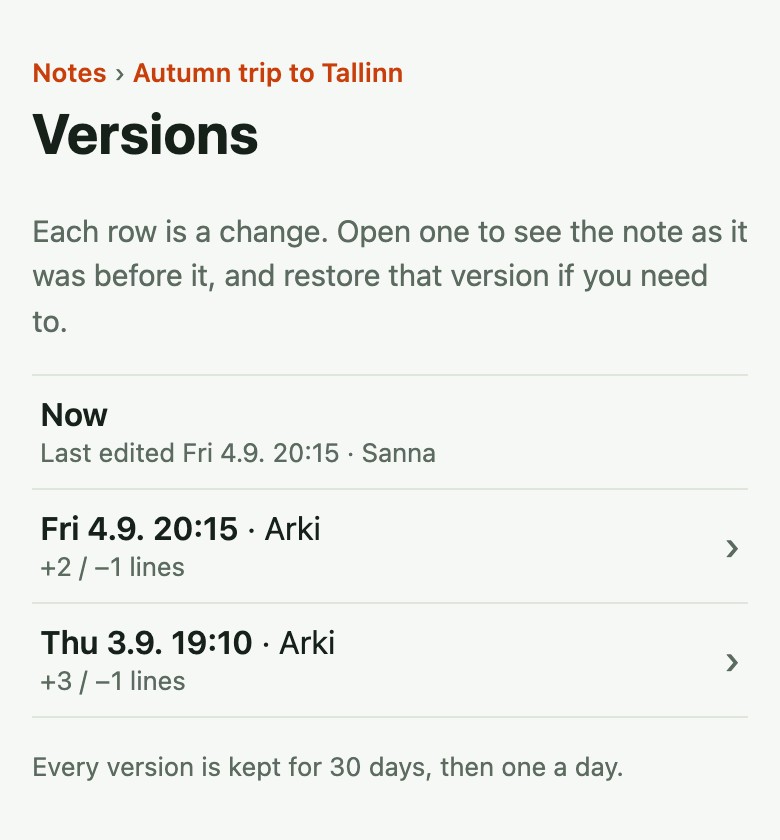
- A part that is now wrong that part is replaced, and the old text stays as a version you can bring back.
12 Apr 2026 · 18:40
Saved as the note “Cleaning the washing machine's inlet filters”, in the folder Home and maintenance, tagged maintenance and washing machine. I split the text into three parts: service history (12 Apr 2026), the tap end and the machine end. The photo sits under the tap end. It fitted that folder only loosely, so say if it belongs somewhere else.
What Arki did Looked for a note this belongs to: none, so a new one. Chose the folder Home and maintenance on thin evidence (the closest note there is Boiler service) and said so. Put the photo under Tap end.
Five months later
9 Sep 2026 · 17:30
The note “Cleaning the washing machine's inlet filters” (Home and maintenance), last done 12 Apr 2026:
Tap end: there is an adapter ring under the tap. Detach the hose from the adapter so the plastic part turns and the hose does not twist. Take the seal out first, then the filter; rinse and refit in the same order.
Machine end: the filter pulls straight out of the hose connector. When refitting, press it fully in.
The note has a photo of the tap end.
Added to the note's service history: 9 Sep 2026, filters cleaned at both ends.
What Arki did No new note: the line went into the one found above, under Service history below April's; nothing else changed.
Fixed: the machine end now reads “The filter does not come out by hand: grip its rim with small pliers and pull it straight out. When refitting, press it fully in.” The rest of the note is as it was, and the earlier text is kept as a version.
What Arki did That part of the note was now out of date, so only it was replaced; the tap end, the photo and the service history stayed. The earlier text is kept as a version you can bring back.
Midweek
A plan that survives Tuesday
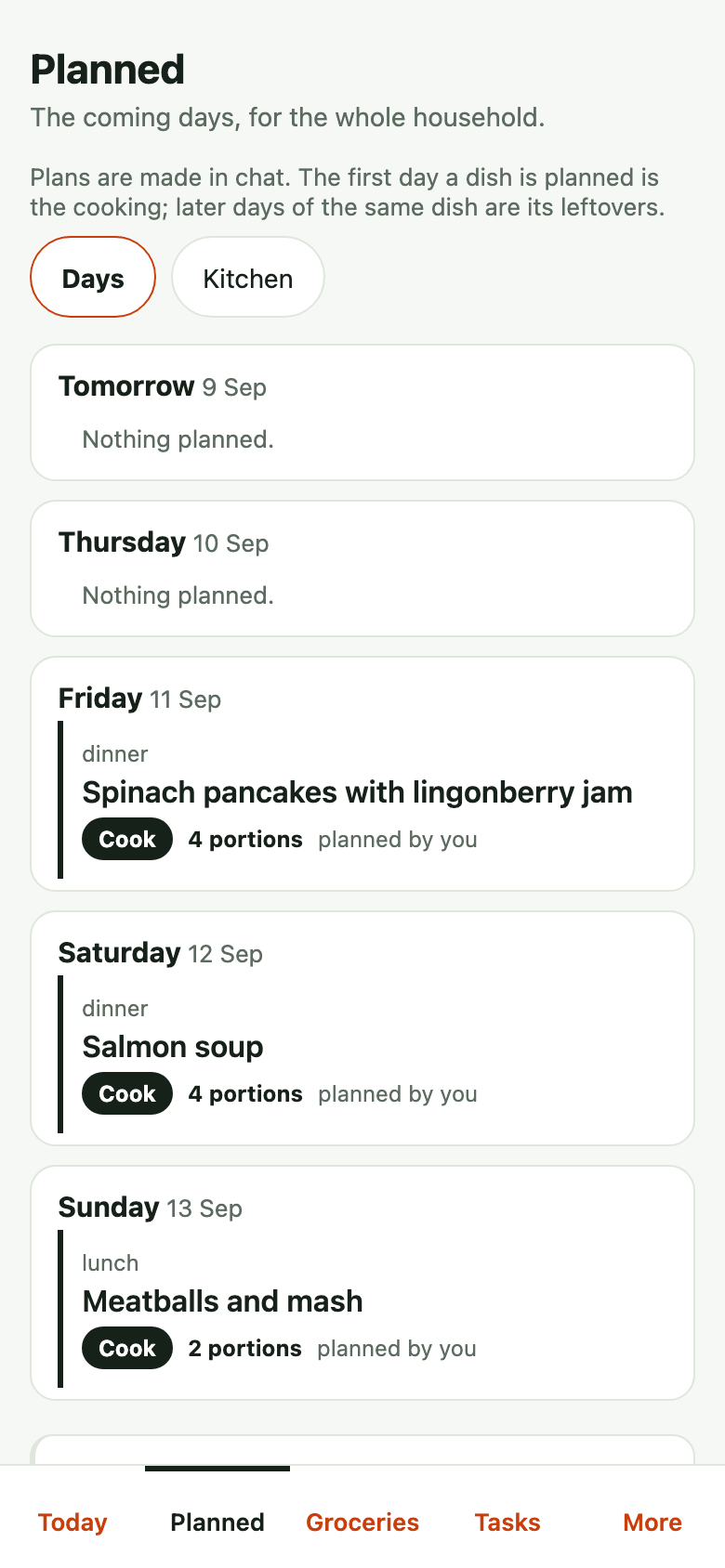
Plan the week's dinners in one conversation, around the evenings that are already busy. When the week changes, the plan changes in one sentence: push a few days forward, move one dinner, clear a night. Nothing is retyped, and the shopping list follows the plan.
Pushed forward a day: salmon soup to Thursday 10 Sep, spinach pancakes to Friday 11 Sep.
Salmon soup moved to Saturday 12 Sep. Thursday is now empty.
Evening
In the evening, you see what's left
Ask where the day stands and you get it straight: what's still open and what's due tomorrow. What didn't happen moves to tomorrow in one sentence, and nothing scolds you for it.
Still open today: the water bill and the vacuum cleaner bags. Dinner (mince sauce and potatoes) is not ticked off. Tomorrow: the library books (flagged).
The water bill is moved to tomorrow, Tue 8 Sep.
Once is enough
It works the way you tell it to
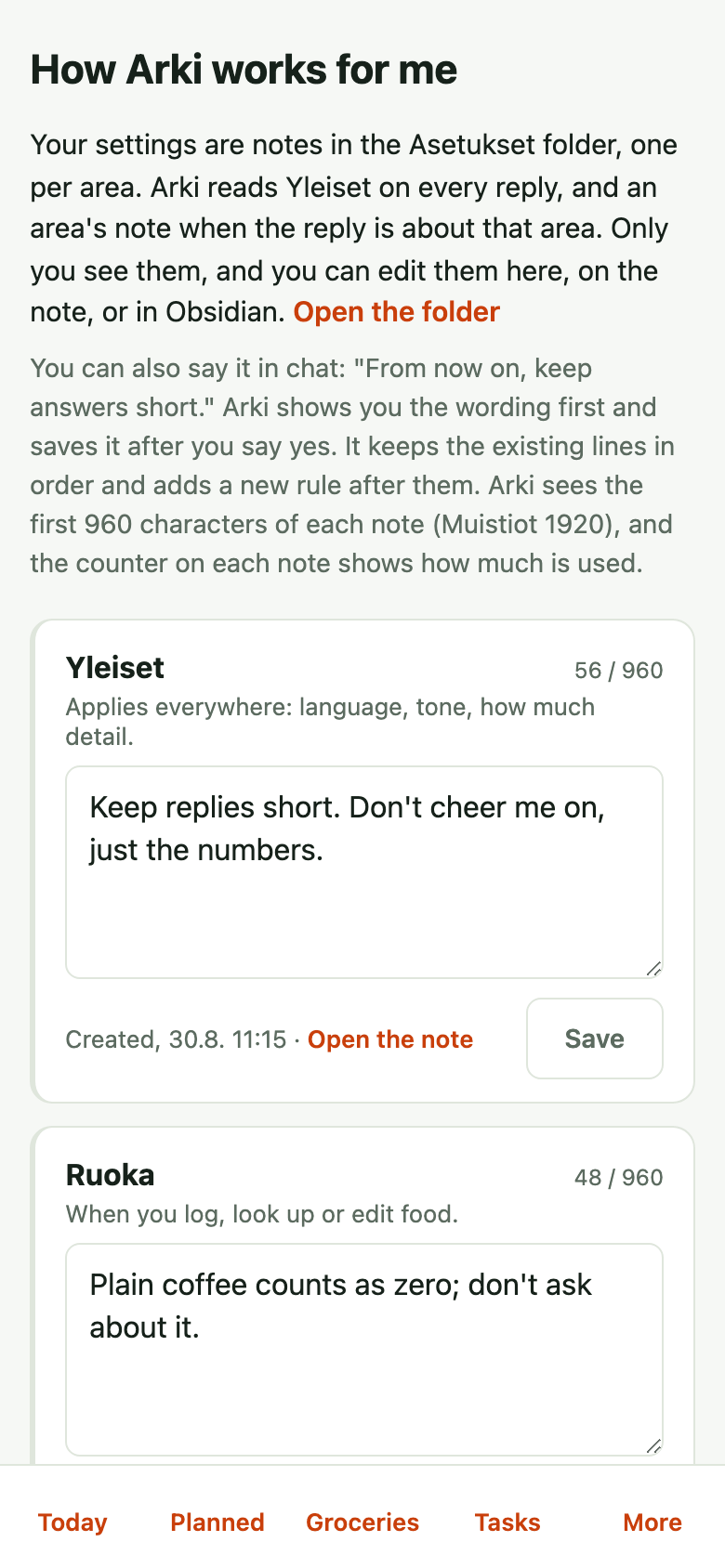
Tell Arki once how you want things: short answers, no cheering, how your notes are organised. Each area has its own settings note of about 960 characters, with a meter, and Arki reads General and the area's note before every answer. Say a rule in chat and you see the wording before it is saved; earlier versions can be restored.
Settings/Notes would get this text:
“Notes in four parts: Projects, Areas, Resources, Archive. A new note goes in Projects if it belongs to something we are doing; otherwise in Areas. Resources only for guides and comparisons. A finished thing is moved to Archive, not deleted. Ask before making a new folder.”
Shall I save it?
Saved in Settings/Notes. Arki follows it from the next reply; earlier versions can be restored on the note's page.
Just yours
Training, mood – and food, if you want
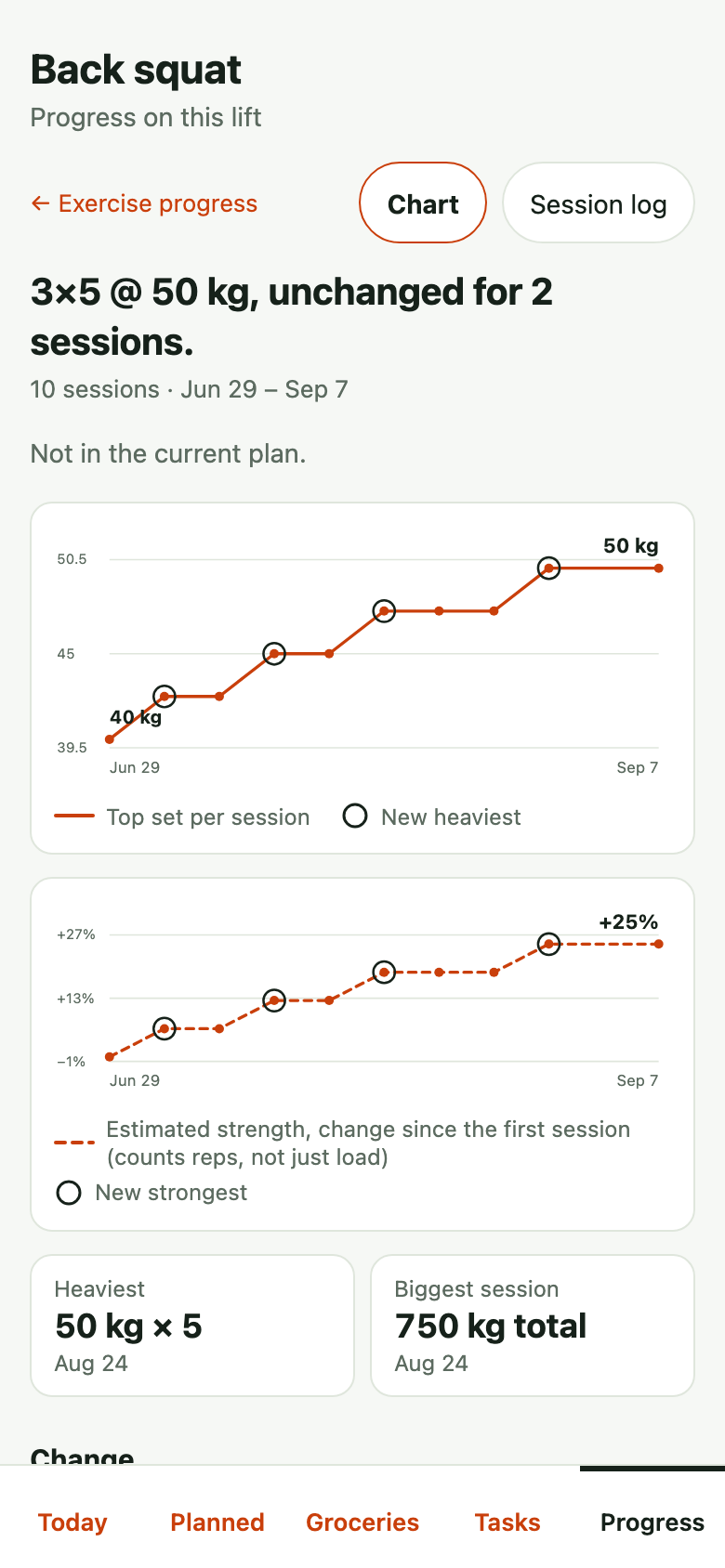
The same chat keeps your training plan, whatever shape it is, and logs your sets as you say them. Your mood is a score from one to five and a few words of your own, never shared, with no streak to keep.
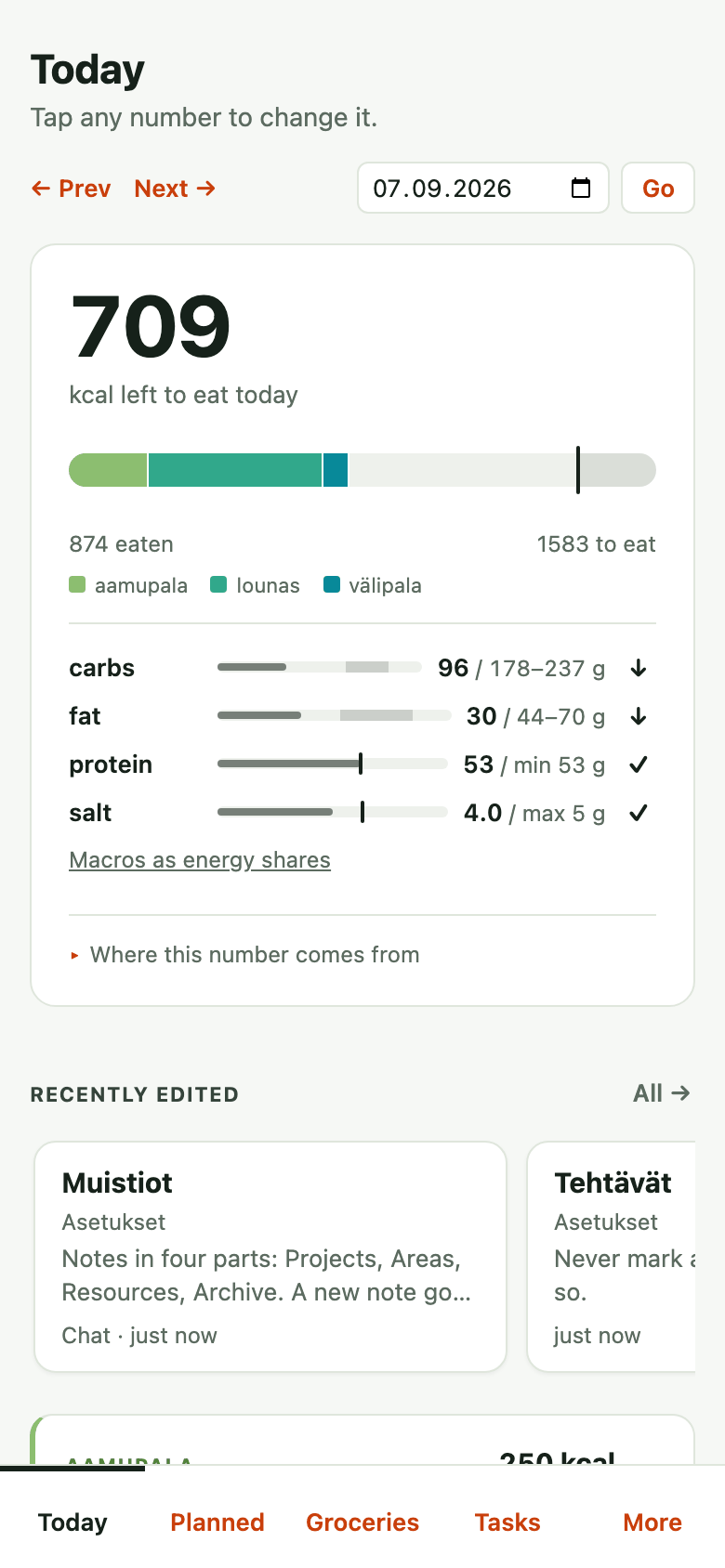
Track what you eat only if you want to. With calorie logging on, the Today page shows the day's budget and meals; switch it off and there is no diary, no target, and no calorie line on the widget.
Logged: back squat 3×5 @ 50 kg, 20 min, 111 kcal. For next time: try 52.5.
Eaten 874, target 1583, 709 left; dinner is not logged yet.
Logged: 3/5, tired.
Then the household
Then the people you live with join in
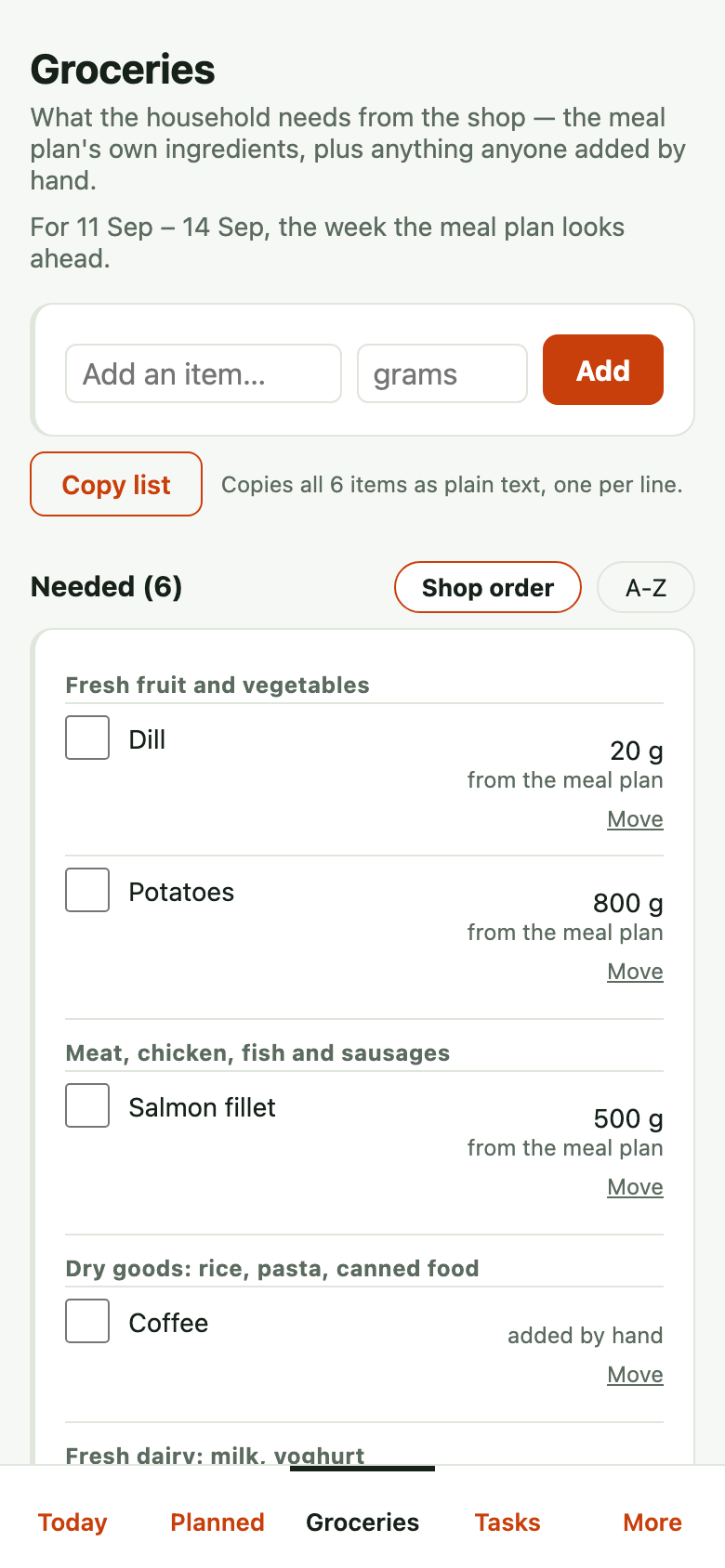
When the others in your home have their own Arki accounts in the same household, the meal plan, the shopping list and the shared notes are theirs too. Anyone can open the list in the shop and tick things off.
Your training, weight, mood and food are seen by you alone. A note can be for everyone, for a smaller group such as the parents, or just for you.
Trust
Where your data is, and who can see it
Arki runs on one private server in Frankfurt, owned and run by one person, who built it for their own household. There is no company behind it and no open sign-up.
That person can read what is on the server. There is no screen for it, but whoever runs a server can open what is on it, and no setting changes that.
What your assistant reads from Arki becomes part of your conversation, so it reaches Anthropic or OpenAI under your own account's terms. The other way, Arki gets only what the assistant sends it, often in your own words; the rest of the conversation never reaches it.
Arki never sells your data, shows no ads and loads no trackers. It shares your data with no other service: a web lookup sends only the thing looked up, and a reminder goes to Todoist only if you connected your own.
Arki counts which of its pages and chat tools each signed-in person used, and when, and keeps that for 180 days: the name of what was used, never what anyone wrote, seen only by the person who runs it.
Who this is for
Arki is a private server, not a public service: there is no open sign-up, and accounts are by invitation only. If you have one, log in and connect the assistant you already use.
How to connect your assistant
- In Claude, open Settings, then Connectors, and add a custom connector.
- Paste your household's Arki address.
- Log in with your Arki account when it asks. From then on, just talk.
Claude first. ChatGPT works too, on paid plans that allow custom connectors, through its developer-mode connector settings.